How it works
A quick walkthrough of the whole flow, from creating the group to settling up.
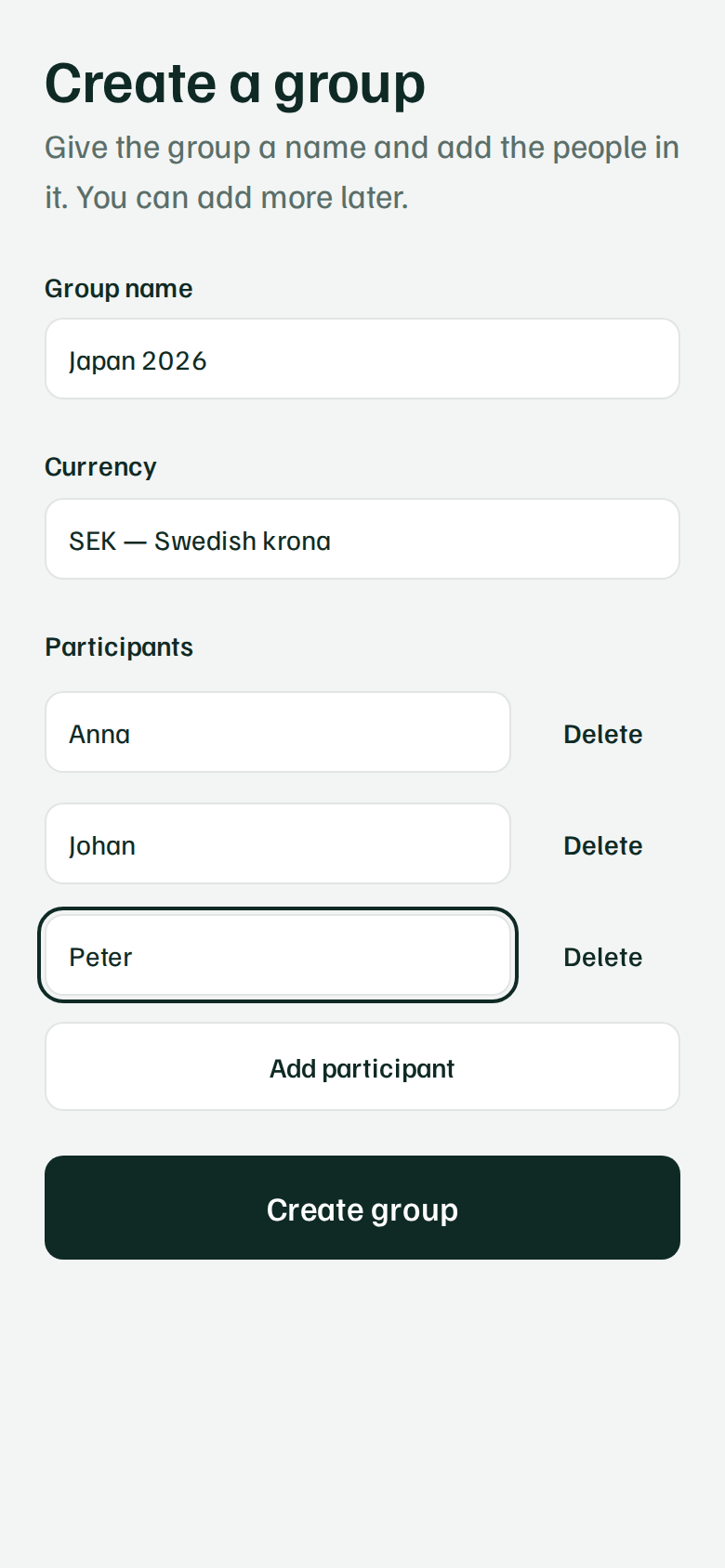
Create a group
Give the group a name, choose the currency you're tracking in, and add everyone who's in it. You can add more people later.
Save the keys
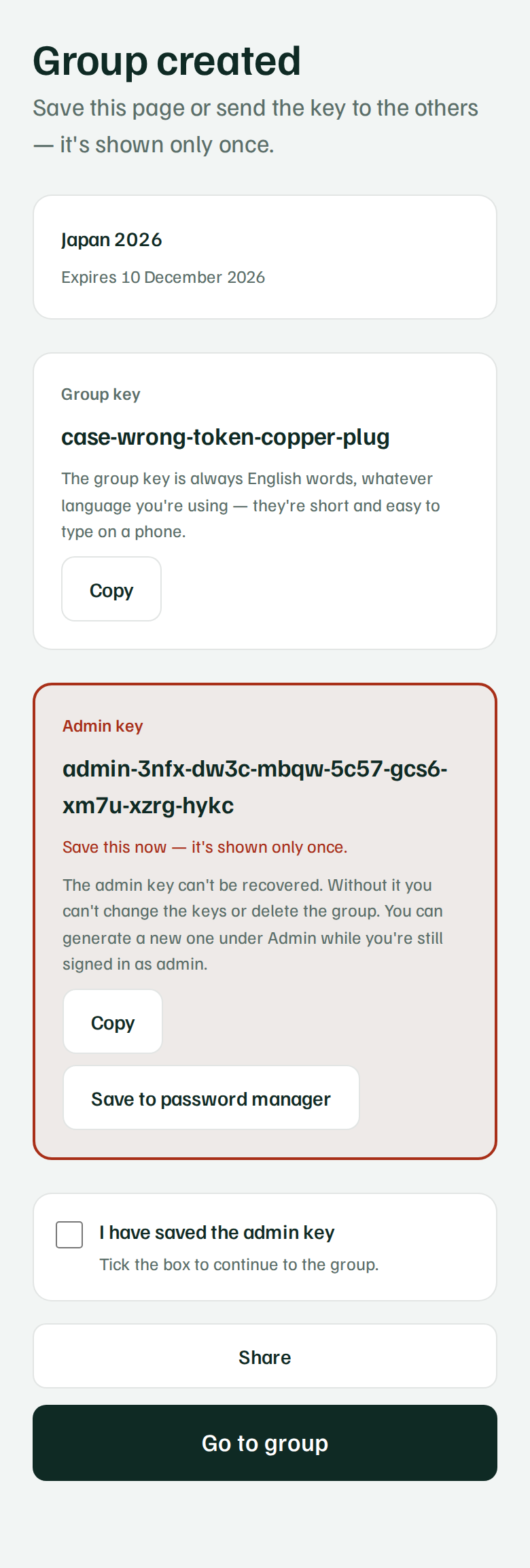
Once the group is created, two keys are shown, once. The group key is what everyone in the group uses to join and add expenses. The admin key is separate and more powerful — it can rotate the keys and delete the group.
Anyone with the group key can see and change everything in the group, so only share it with people who should actually be in the group. The group key is always English words, even when the app is in Swedish — they are shorter and quicker to type on a phone.
Add expenses
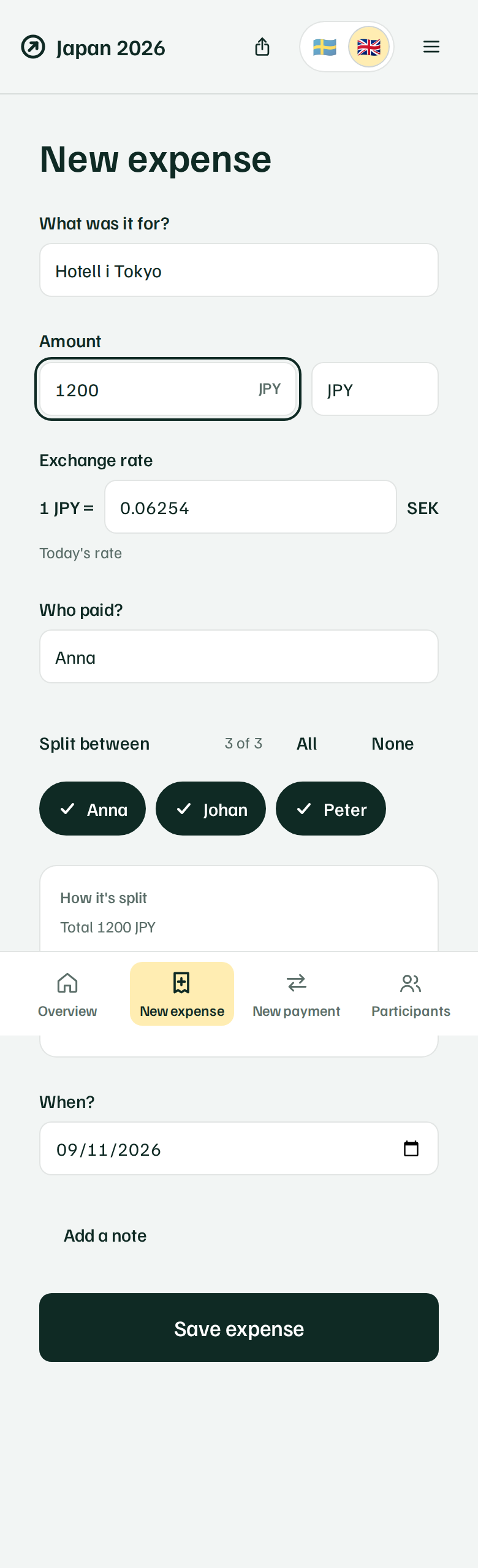
For each expense you enter who paid, how much, and who's splitting it. The split is shown before you save, so you can see exactly what each person owes.
If the expense is in another currency, you enter an exchange rate. That rate is locked to that one expense, so old expenses never change later even if rates move.
Record payments
When someone in the group pays another person back, record it as a payment. It affects balances just like an expense, so everyone can see the debt is cleared.
See who owes whom
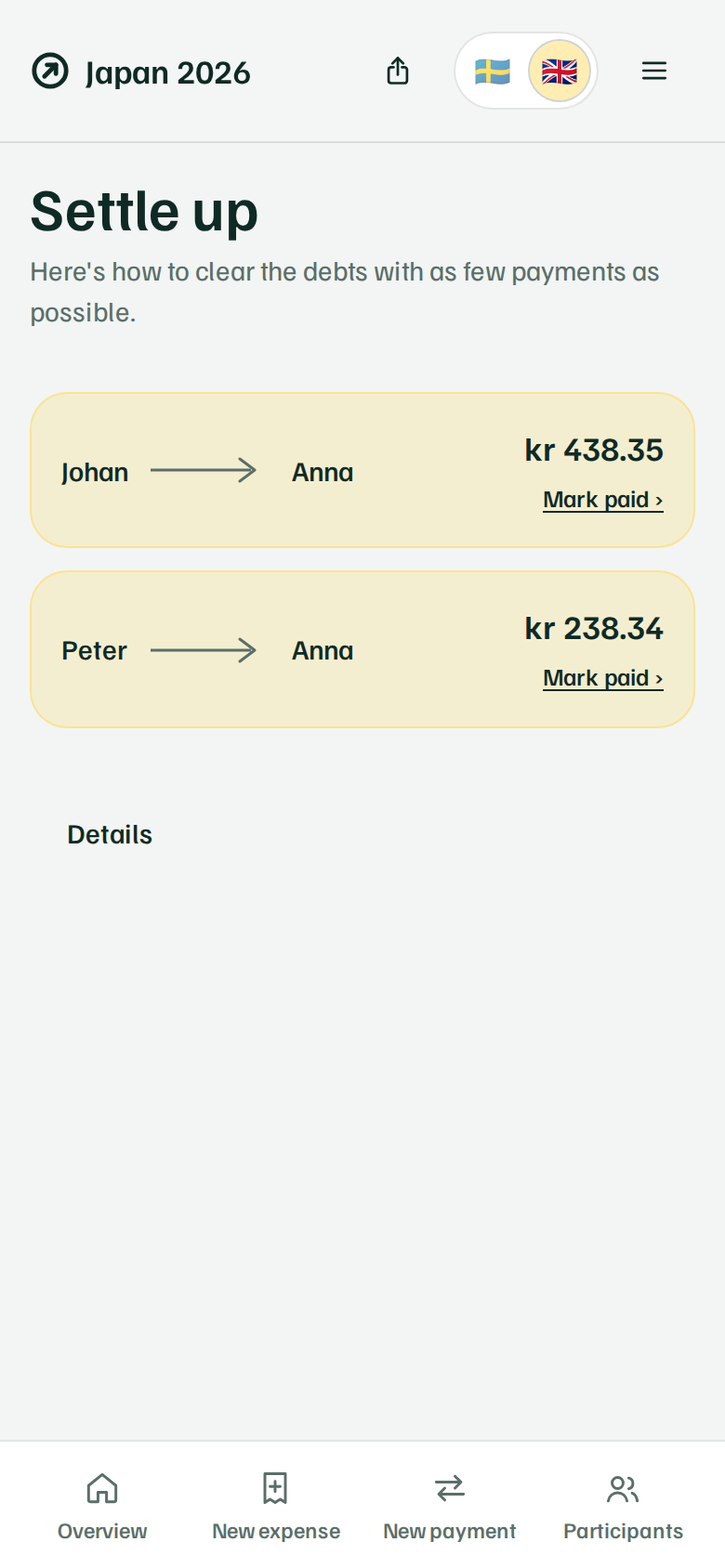
The settle-up plan is the answer the app exists to give: the shortest possible list of who pays whom, and how much, so everyone ends up even.
Activity and history
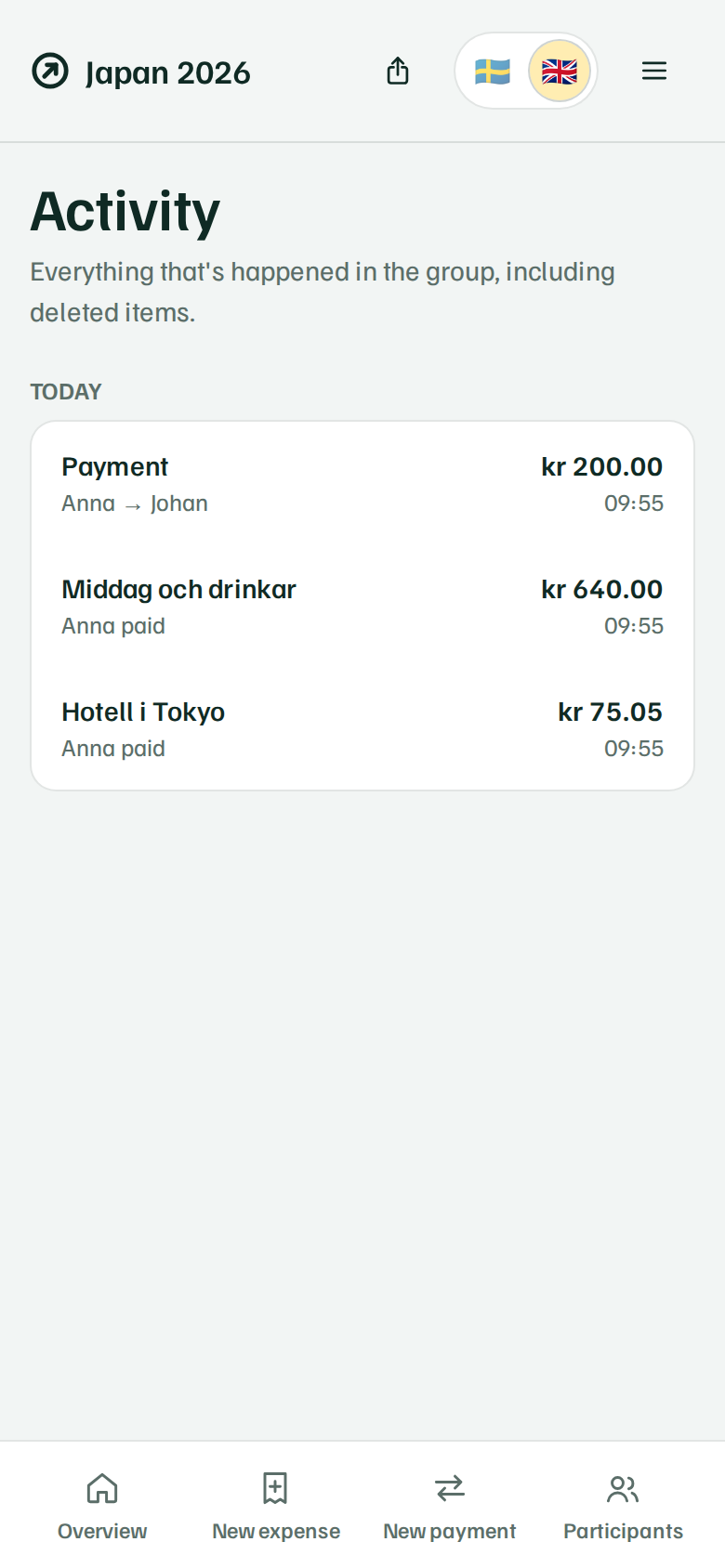
Every change is saved. The activity feed shows what's happened in the group, including expenses and payments that were later deleted or edited.
The group disappears after 90 days
90 days after the group is created, it's automatically deleted, along with all its data. The clock starts when the group was created, not the last visit, so using the group doesn't extend it.
Ready to get started?
Create a new group, or join one you've already been sent a group key for.